
Yes, audio quality changes what you hear and how you judge a track. A thirty-second preview with muddy low end, crushed dynamics, or a tinny high-frequency shelf can make a genuinely great artist sound amateur. Two forces drive this: your brain uses processing fluency as a credibility shortcut, and lossy compression removes frequencies and spatial cues that contribute to music's liveliness.
- Processing fluency: When audio is harder to process, your brain attributes the friction to the source, not the delivery chain. The artist sounds less credible, not the file.
- Technical losses: Low bitrate, heavy codec compression, and adaptive streaming strip out high-frequency spatial cues, transient sharpness, and stereo width — the exact details that signal production quality.
Table of Contents
- Why does audio quality change what you think and feel?
- What does the research actually say?
- Why do previews often sound worse than the full release?
- How can you tell if a preview hides the track's true sound?
- What formats and settings should you use when previewing music?
- When does audio quality probably not change your verdict?
- Key Takeaways
- The preview problem no one talks about
- Hear artists the way they're meant to sound
- Sources and further reading
Why does audio quality change what you think and feel?
The mechanism is called processing fluency, and it runs below conscious awareness. When sound arrives clearly, your brain processes it with less effort and rates the source as more intelligent, more trustworthy, and more likable. When it arrives distorted or muffled, that cognitive friction gets misattributed to the artist.
Yale's Perception Lab has documented this effect directly: low-fidelity audio lowers listener ratings of a speaker's intelligence and credibility even when every word is understood. The content doesn't change. The judgment does.
Memory works the same way. A PLOS ONE study on clear speech found that clearer recordings produce better recognition memory and fewer false alarms than conversational or degraded speech. In music terms, a clean, well-defined recording gives your brain more distinct cues to anchor to, so the track sticks. A muddy preview blurs those cues together.
Picture this: the same guitar chord played through a full-range speaker versus a cheap phone speaker with no low end. The chord on the phone sounds thin, almost anxious. Your emotional response shifts, not because the notes changed, but because the timbre did. That's the role of sound in music experience, and it operates whether you're aware of it or not.
What does the research actually say?
The evidence here is stronger than most listeners realize.
A 2025 PNAS paper on auditory fluency ran multiple experiments showing that tinny or distorted audio reduces judgments of intelligence and hireability across subjects. The effect held even when comprehension was equivalent, meaning listeners understood the words just fine but still rated the speaker lower. The researchers noted direct implications for videoconferencing, but the parallel to music previews is exact: a degraded clip biases you against the artist before the song has a chance.
USC Today's summary of related research adds a useful practical note: when listeners are told in advance that audio quality is poor due to a technical problem, the credibility penalty shrinks. Awareness reduces misattribution. If you know a preview is a low-bitrate sample, you can partially correct for it mentally.
Key takeaways from the research:
- Poor audio lowers perceived credibility and intelligence even at full comprehension.
- Clearer recordings improve recognition memory and make tracks more memorable.
- Labeling a quality problem ("this is a compressed preview") reduces the negative judgment it triggers.
Callout: The significance of audio fidelity isn't just audiophile preference. It's a measurable psychological effect that shapes whether a listener gives an artist a second chance.
Why do previews often sound worse than the full release?
Several technical factors stack against preview clips, and understanding them helps you recognize when a preview is misleading you.
Lossy compression and bitrate are the biggest culprits. When audio is encoded as MP3 or AAC at low bitrates, a psychoacoustic algorithm discards frequencies it judges as inaudible. The problem is that those discarded frequencies include high-frequency spatial cues above roughly 16 kHz, the shimmer on cymbals, the air around a vocal, and the stereo width that makes a mix feel three-dimensional. As TRPTK's analysis of compression artifacts explains, the loss of these cues reduces the perceived sense of space and depth, even when the core melody is intact.
Adaptive bitrate streaming compounds this. Most streaming apps automatically drop quality during network congestion to prevent buffering. A preview you hear on a crowded Wi-Fi network may be encoding at a fraction of the app's maximum bitrate, with no visible indicator that it's happening.
Preview-specific encoding is a separate issue. Short clips are sometimes encoded at lower bitrates than full tracks, truncated with abrupt fades, or mono-summed to reduce file size. A preview may not be a faithful excerpt of the master at all.
Loudness normalization flattens dynamic range. Platforms like Spotify normalize to around -14 LUFS, which can make a dynamically rich acoustic recording sound compressed and lifeless compared to how it was mastered.
Poor room acoustics on the listener's end also matter. Even a flat frequency response from your headphones gets masked by reflections and standing waves in a reverberant room, blurring the direct sound.
Pro Tip: The University of Pittsburgh's audio production guidance recommends targeting an average level of -12 dBFS with peaks under -6 dBFS for intelligibility. If a preview sounds consistently clipped or distorted at normal volume, the problem is likely in the master or the encoding, not your playback chain.
How can you tell if a preview hides the track's true sound?
A quick, ordered check takes under two minutes and tells you whether a preview is worth trusting.
- Set your app to its highest quality setting before you listen. Most streaming apps default to adaptive or standard quality. Switch to "Very High" or "Lossless" in settings first. A guide to streaming audio quality walks through where to find these settings across major apps.
Pro Tip: Pick one reference track you know intimately — something with a wide mix, clear transients, and dynamic range — and use it every time you evaluate a new preview. Consistency in your reference makes differences easier to spot.
What formats and settings should you use when previewing music?
Format choice has a real impact on what you actually hear. Here's how the main options stack up:
| Format | Typical Bitrate | Best For |
|---|---|---|
| MP3 (lossy) | 128–320 kbps | Casual listening, background music |
| AAC (lossy) | 256 kbps (Spotify, Apple Music) | General streaming, good efficiency |
| ALAC / FLAC (lossless) | Lossless quality | Critical listening, preview evaluation |
| Apple Music Lossless | 16-bit ALAC | High-fidelity streaming on Apple devices |
For casual background listening, 256 kbps AAC is genuinely fine. The difference between 256 kbps AAC and lossless is subtle on most consumer headphones. But when you're trying to judge whether a preview represents a track accurately, lossless removes one variable from the equation.
Practical settings to apply:
- In Spotify, set streaming quality to "Very High" (320 kbps OGG Vorbis) under Settings > Audio Quality.
- In Apple Music, enable Lossless Audio under Settings > Music > Audio Quality for both streaming and downloads.
- Prefer downloaded offline files over live streaming for critical preview evaluation. Adaptive bitrate cannot drop quality on a local file.
- Use a wired DAC (digital-to-analog converter) if you're on a desktop. The built-in audio chip in most laptops introduces measurable noise at higher volumes.
The SoundScapeHQ streaming quality guide covers codec comparisons and explains where quality differences occur across popular platforms.
When does audio quality probably not change your verdict?
Not every preview needs to be evaluated at 24-bit lossless. Context matters.
Genre tolerance varies significantly. Heavily compressed EDM, lo-fi hip-hop, and punk are genres where distortion and compression are often intentional aesthetic choices. A 128 kbps preview of a lo-fi beat may sound exactly as the artist intended. Acoustic chamber music, jazz, and classical recordings are the opposite: they rely on dynamic range, spatial imaging, and transient detail that low-bitrate encoding destroys.
Songwriting and melody cut through compression. If a hook is strong enough, you'll recognize it on a phone speaker in a noisy coffee shop. For evaluating whether you like a song's core idea, a compressed preview is often sufficient. Where it fails is in judging production quality, mix depth, and sonic character.
Your listening environment sets the ceiling. On a small phone speaker in a loud environment, the difference between 128 kbps and lossless is essentially inaudible. The room noise masks the high-frequency details that distinguish them. Save critical listening for a quiet space with decent headphones.
For discovering emerging local artists, this distinction matters more than it does for mainstream releases. A local artist's preview is often recorded with less production budget, making compression artifacts harder to separate from genuine sonic character.
Key Takeaways
Audio quality shapes your emotional response, memory, and credibility judgments during a preview, so the format and playback chain you use directly affect whether you give an artist a fair hearing.
| Point | Details |
|---|---|
| Processing fluency is real | Poor audio lowers perceived credibility and intelligence even when content is fully understood. |
| Compression removes spatial cues | Lossy codecs strip high-frequency detail and stereo width, making mixes sound flat and narrow. |
| Set quality before you listen | Switch your app to its highest quality setting and use wired headphones before evaluating any preview. |
| Use a reference track | A/B against a known track to recalibrate your ear and spot compression artifacts quickly. |
| Hppn offers longer previews | Hppn provides artist audio and video previews with live samples, reducing the risk that a short clip misleads you about an artist's sound. |
The preview problem no one talks about
Bad previews don't just frustrate listeners. They actively bury promising artists. A local musician who records a genuinely compelling set but uploads a 96 kbps preview with clipped peaks and a collapsed stereo field is going to sound worse than a polished mainstream act with a full mastering budget, even if the songwriting is stronger. The listener's brain doesn't separate "bad file" from "bad artist" — it just registers friction and moves on.

This is where the gap between live music and recordings becomes most costly. A local artist who sounds extraordinary in a small venue can sound forgettable through a compressed thirty-second clip. That's not a talent problem. It's a preview problem.
The practical fix for listeners is to seek out longer clips, live samples, and higher-quality previews whenever they're available before writing off an emerging act. The significance of audio fidelity in discovery isn't about being an audiophile. It's about giving artists a fair shot. A track judged on a bad preview is a track judged on incomplete evidence.
Hear artists the way they're meant to sound
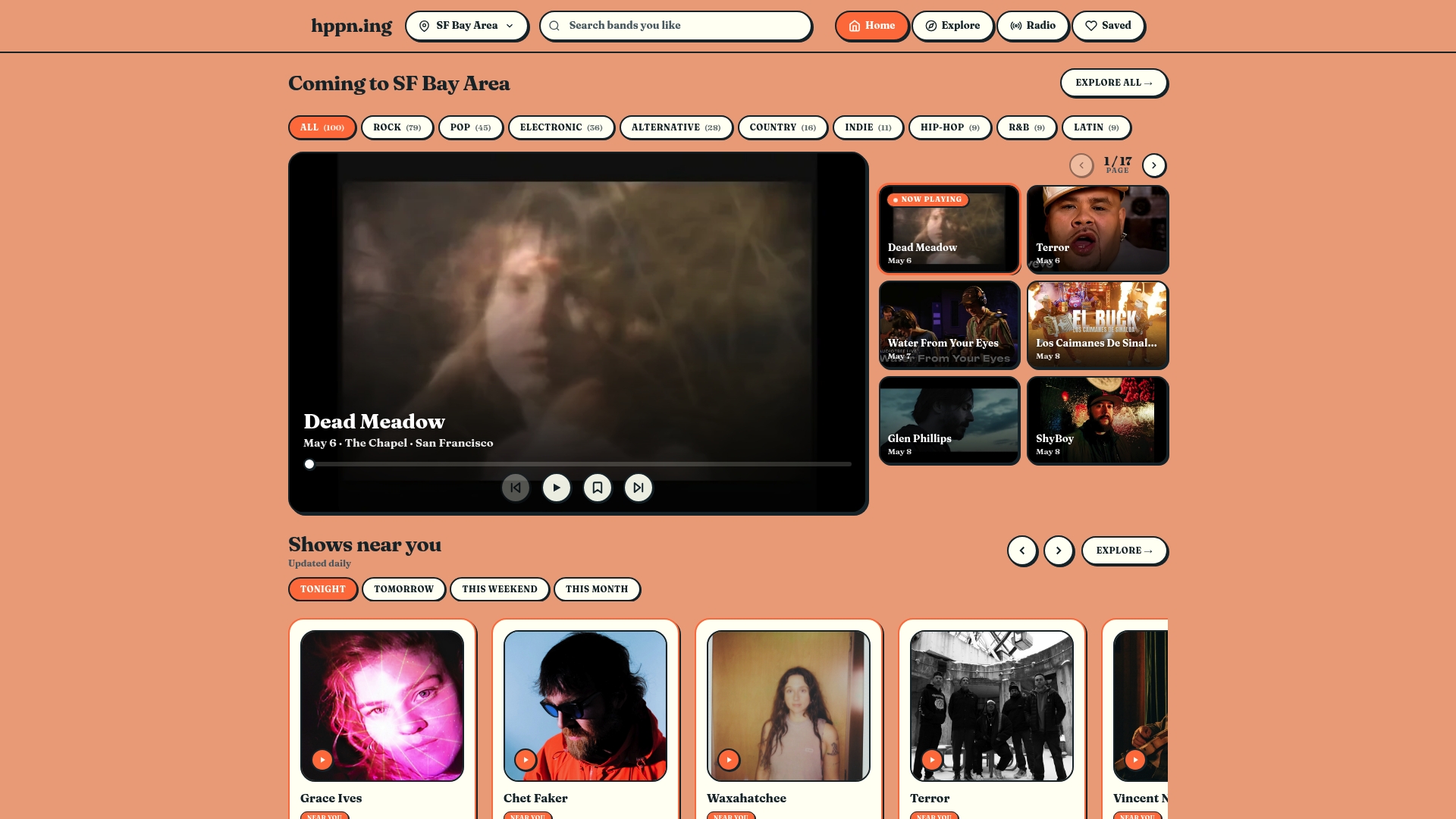
Short, low-bitrate previews are one of the biggest reasons promising local artists get overlooked, as explained by the music-marketing agency Intonality who highlight how preview quality affects fan perception and playlist pitching. Hppn is built around the idea that discovery should be fair to the artist and useful to the listener. The platform offers audio and video previews, live samples, and longer clips from emerging and underground acts near you, so you're judging the music, not the compression.
If you've been dismissing local artists based on thirty-second clips that barely represent their sound, preview artists and find shows on Hppn and hear what's actually happening in your city's music scene.
Sources and further reading
These are the primary sources used in this article. Each one is worth bookmarking if you want to run your own listening tests or go deeper on formats and psychology.
- Misc-AuditoryFluency — Perception Lab (Yale)
- PNAS — Auditory fluency and social judgments (2025)
- PLOS ONE — Clear speech benefits for recognition memory
- Why we believe something: The quality of audio matters — USC Today
- Audio quality: why it’s important and how to improve it — Teaching & Learning, University of Pittsburgh
- What you can't hear is still there, until it isn't — TRPTK
- How bad is your streaming music? Audio quality guide — SoundScapeHQ